
Conventional timer
Restart the cycle all day
- Start a timer
- Work until it rings
- Decide what comes next, then restart
A focus and break planner for your whole workday.
Set different focus and break rhythms for your morning, afternoon and evening — then let Work•Rhythm guide you through the day.
Free to download · 3-day Pro trial · No payment information required
Why Work•Rhythm
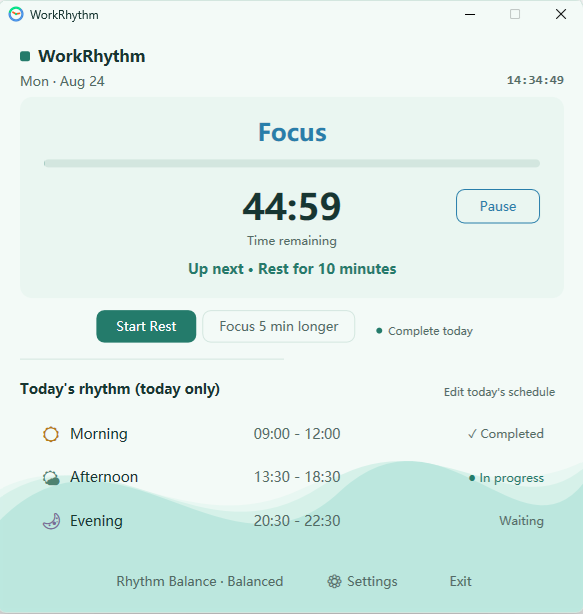
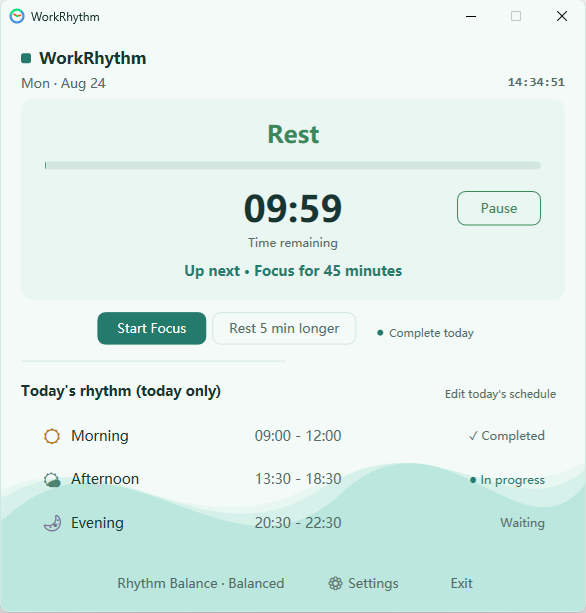
A conventional timer manages the next block. Work•Rhythm helps you plan how focus and recovery should flow across your whole day.
Conventional timer
Work•Rhythm
Set your rhythm for the day. Let Work•Rhythm guide you through it.
Less clock-watching. Fewer decisions. More room to focus.
Learn more about using Work•Rhythm as a focus timer for Windows or as a flexible Pomodoro alternative.
Core benefits
Start with a clear focus rhythm and shorter rest cycles.
Protect sustained work between planned pauses.
Let the rhythm become lighter as the day winds down.
01
Set different work and rest rhythms for your morning, afternoon and evening.
02
Work•Rhythm quietly keeps track of your rhythm, so you don't have to watch the clock.
03
Pause, extend, or switch to temporary focus and rest when your day doesn't go as planned.
Insights
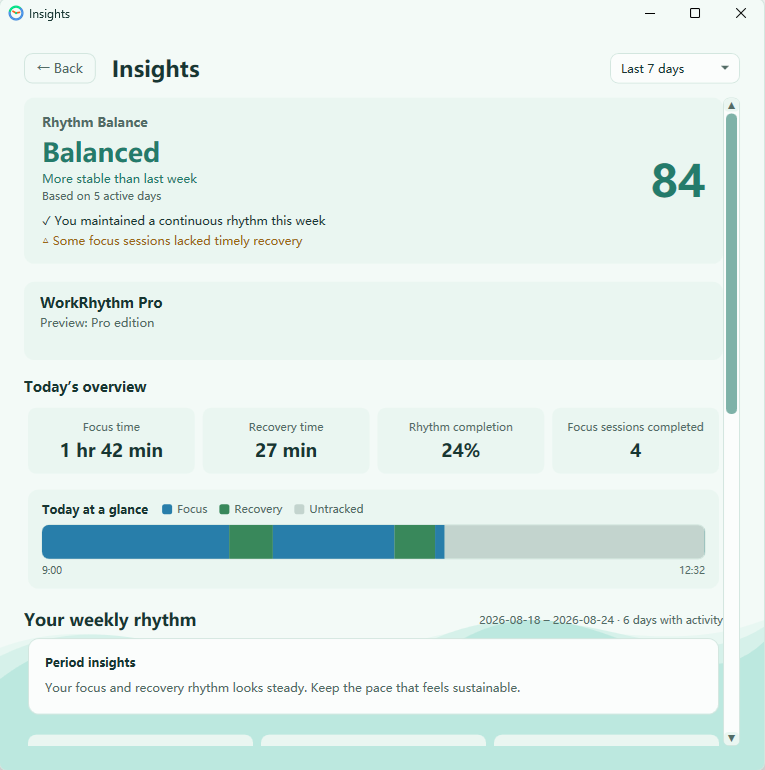
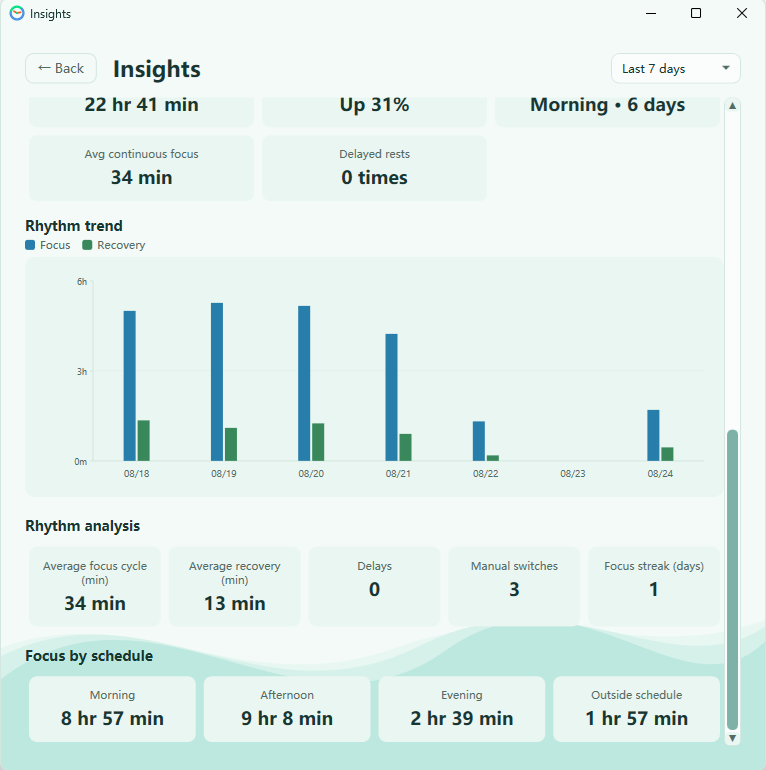
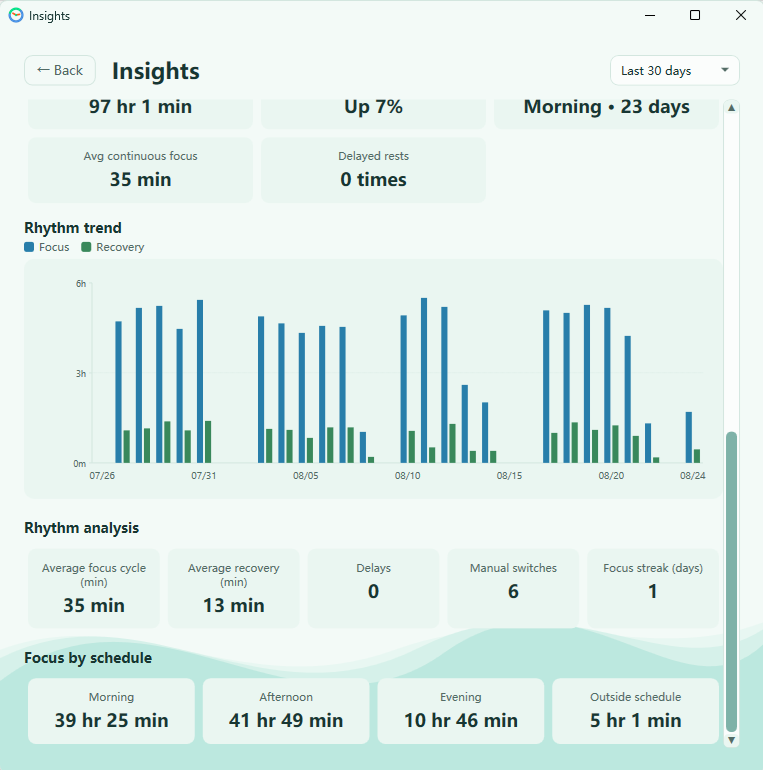
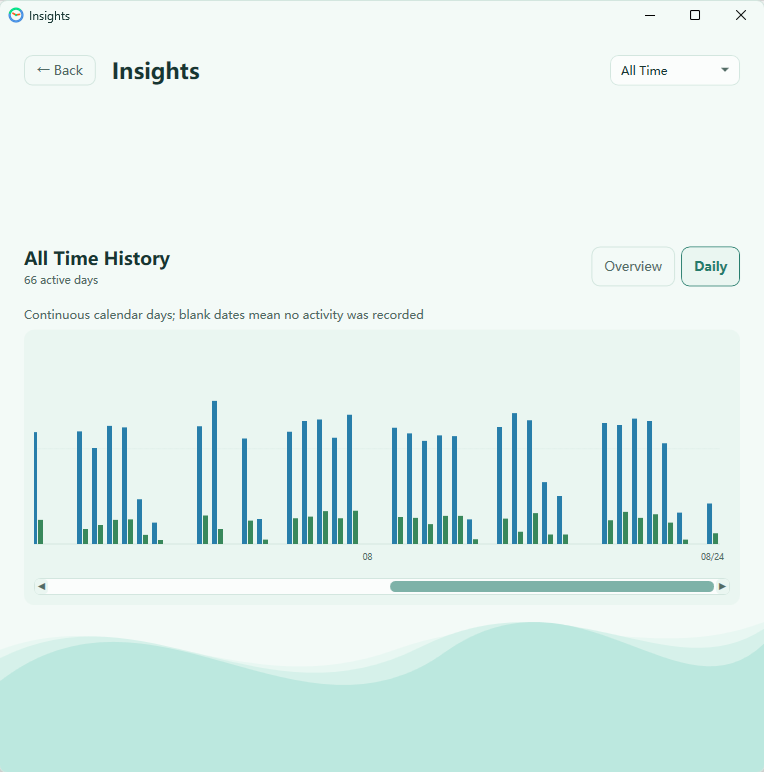
See today's rhythm at a glance, then follow your patterns across 7-day, 30-day, and all-time views.
7-day, 30-day, and all-time trends are included with Pro.
Themes
Every theme keeps the same calm rhythm, with a different atmosphere for your day.
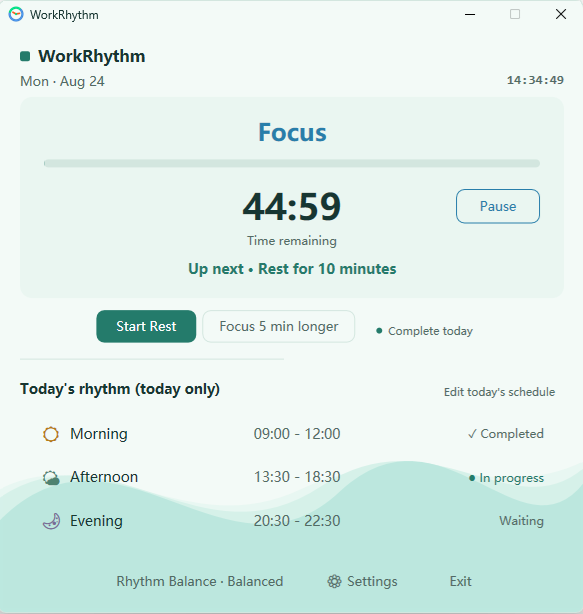
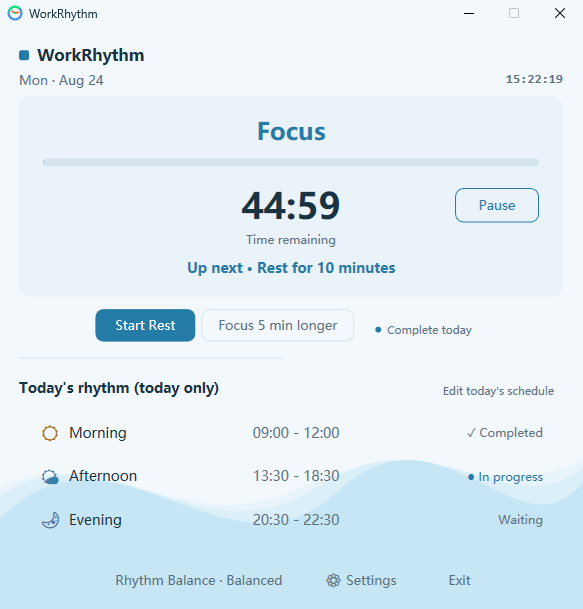
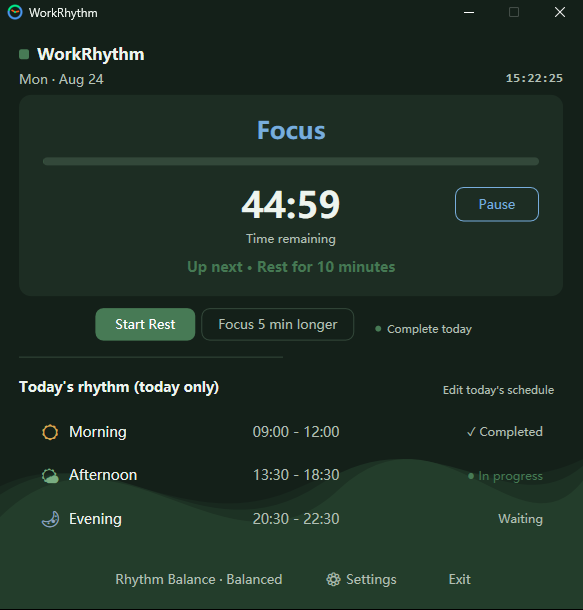
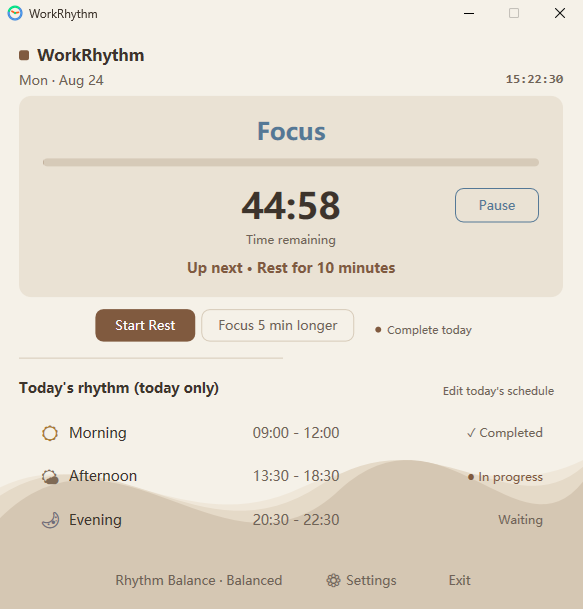
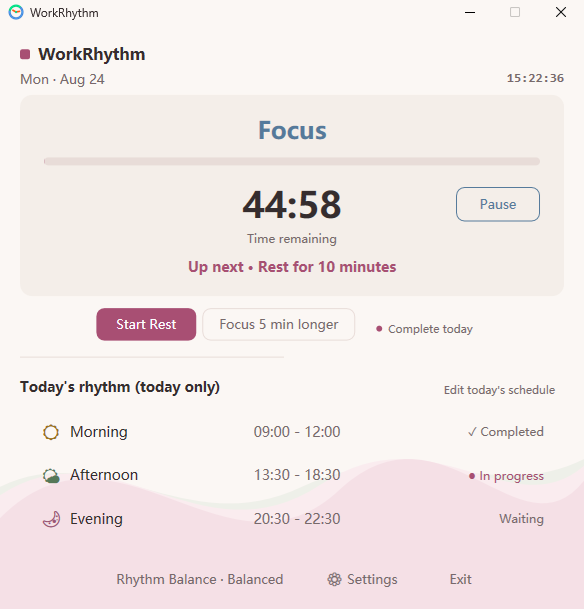
Free includes core visual themes. Pro unlocks the full theme collection.
Guides
See how break reminders differ from simple timers and how a whole-day rhythm can support regular pauses.
Read guideCompare the shared rhythm features and see what Focus and Rest Guidance add.
Read guideLearn how Guided WorkRhythm can add contextual Guidance during focus and rest periods.
Read guideFree / Pro
One purchase toward a more sustainable work rhythm.
$9.99 One-time purchase · No subscription.
$0
Free forever
One-time purchase
$9.99
No subscription
Local pricing may vary in Microsoft Store
No payment information required · Start the trial inside Work•Rhythm
FAQ
No. Pro is a one-time purchase through Microsoft Store. The purchase is handled by Microsoft Store and associated with your Microsoft account. There is no subscription or recurring charge.
Yes. The core rhythm, schedule, and core visual themes stay free forever. Pro adds the full theme collection and deeper insights.
The trial unlocks the same features as a purchase, including the full theme collection, full Rhythm Balance, 7-day, 30-day, and all-time trends, and weekly and monthly reports. No payment information is required to start the trial.
Yes. Your schedule and rhythm data stay in a local SQLite database on your device. Microsoft Store services are used for Pro purchases and license validation.
Your schedule and rhythm history stay in a local SQLite database on your device. Work•Rhythm itself does not require you to create or sign in to a Work•Rhythm account.
No. Work•Rhythm does not require its own account or cloud synchronization. Your schedules, settings, and activity data stay on your device. Microsoft Store may have its own account requirements for downloading the app. Purchasing, verifying, or restoring Pro requires the Microsoft account associated with the purchase.
Work•Rhythm is built as a native Windows app, so Windows 10 and 11 get the full experience. There is no macOS version at this time.
Sign in to Microsoft Store with the Microsoft account used to purchase Work•Rhythm Pro. Work•Rhythm can then verify the purchase and restore Pro access.
Work•Rhythm requires Windows 10 version 2004 (build 19041) or later, or Windows 11. Install it through Microsoft Store.
A VPN or manually configured proxy can sometimes prevent Microsoft Store from connecting. Try disconnecting the VPN first. If the problem continues, open Windows Settings, search for “Proxy,” open Manual proxy setup, select Set up, and temporarily turn off Use a proxy server. Then try Microsoft Store again. Restore your previous proxy settings afterward if you still need them. On a work or managed device, check with your administrator before changing proxy settings.
Pro purchases are made through Microsoft Store, so refunds follow the Microsoft Store refund policy.